
IPD management features
Built around the way wards actually run: the bed is known at admission, charges build up by themselves, and the discharge bill is ready when the patient is.
Wards
Set up each ward (general, private, surgical, maternity, ICU and so on) with its code and floor, and manage them from one settings screen.
Room types & bed charges
Define bed types such as general, semi-private and private, each with its own daily rate, and different rates for panels or insurance.
Bed allocation
Choose the ward, bed type and a free bed at admission. Reserved and occupied beds cannot be given twice.
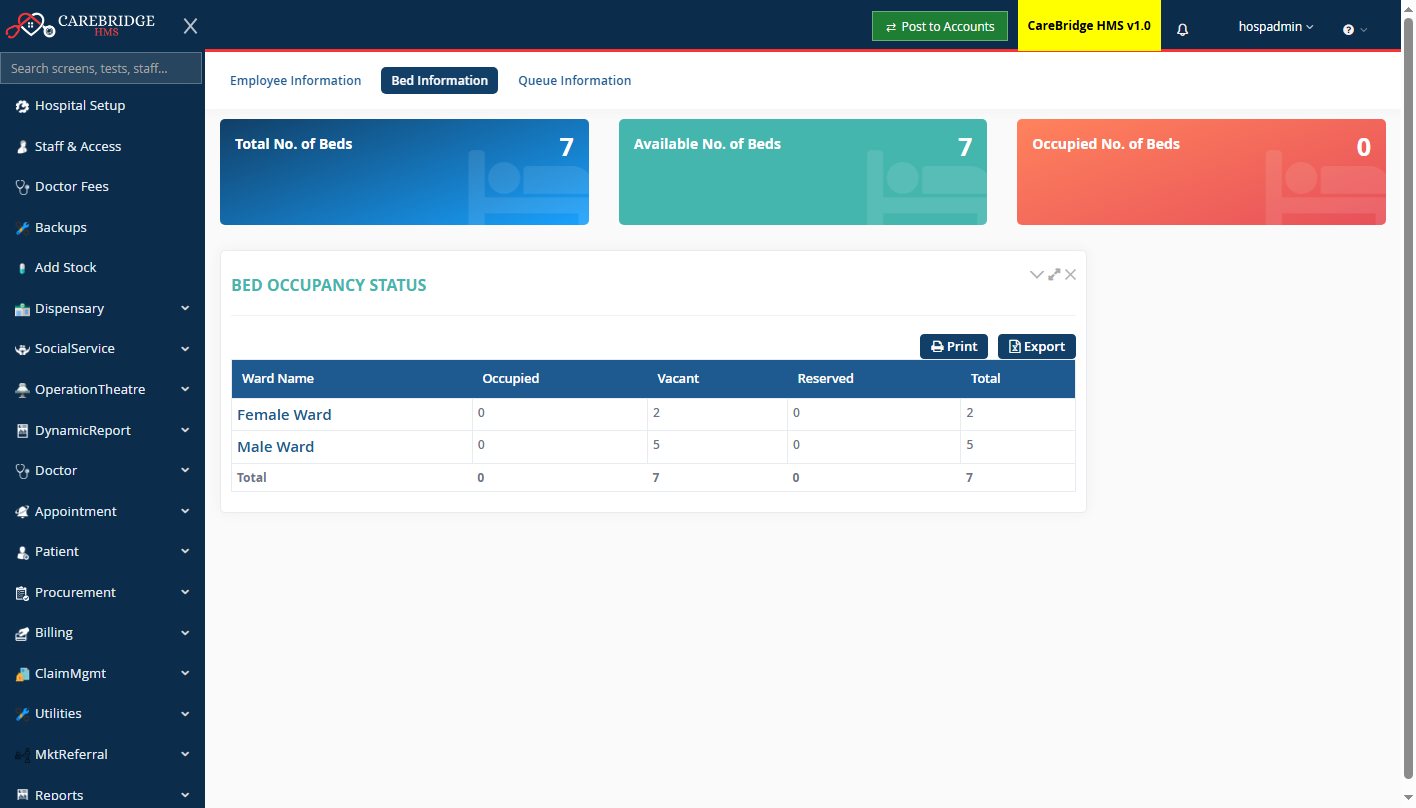
Occupancy at a glance
Total, free, occupied and reserved beds for every ward, live, for the front desk, nursing and management.
Automatic daily charges
Bed charges are added to the bill for each day of the stay, along with any items you set to be added automatically on admission.
Admission to discharge
Admission, ward and bed transfer, ward requests for lab, radiology and medicines, discharge summary and final bill, step by step.
Deposits & settlement
Take advance deposits, see the running bill at any time, and settle everything at discharge on one bill.
Nursing station
Ward-wise in-patient lists, vitals, input/output charting, nursing orders and drug requests to the pharmacy.
IPD reports
Admitted and discharged patients, transfers, in-patient census and outstanding bills.
Know which beds are free, without walking the wards
Reception, nursing and management see the same bed picture at the same moment.
- Beds per ward: occupied, vacant, reserved, total
- Admitted patient list with ward, bed, doctor and days stayed
- Print or export to Excel
How a stay works in CareBridge
Admit
Search the patient, choose doctor, ward, bed type and bed; take a deposit if needed.
Treat
Doctors and nurses order tests, medicines and services; each one lands on the bill.
Transfer
Move the patient to another ward or bed; charges follow the new bed from that day.
Discharge
Discharge summary, final bill with deposits adjusted, and the bed is free again.
Planning your wards and beds?
We set up your wards, bed types and rates with you during installation.